How do I limit the mandate period for cost statements (invoice proposals)?
From time to time you want to be able to print out the services listed on the dossier in the form of a cost statement. This can be done quickly using the printer button in the mandate list ( finance area). But what if you don't want to include all the services contained in the dossier in the cost statement?
By temporarily hiding services, you achieve your goal: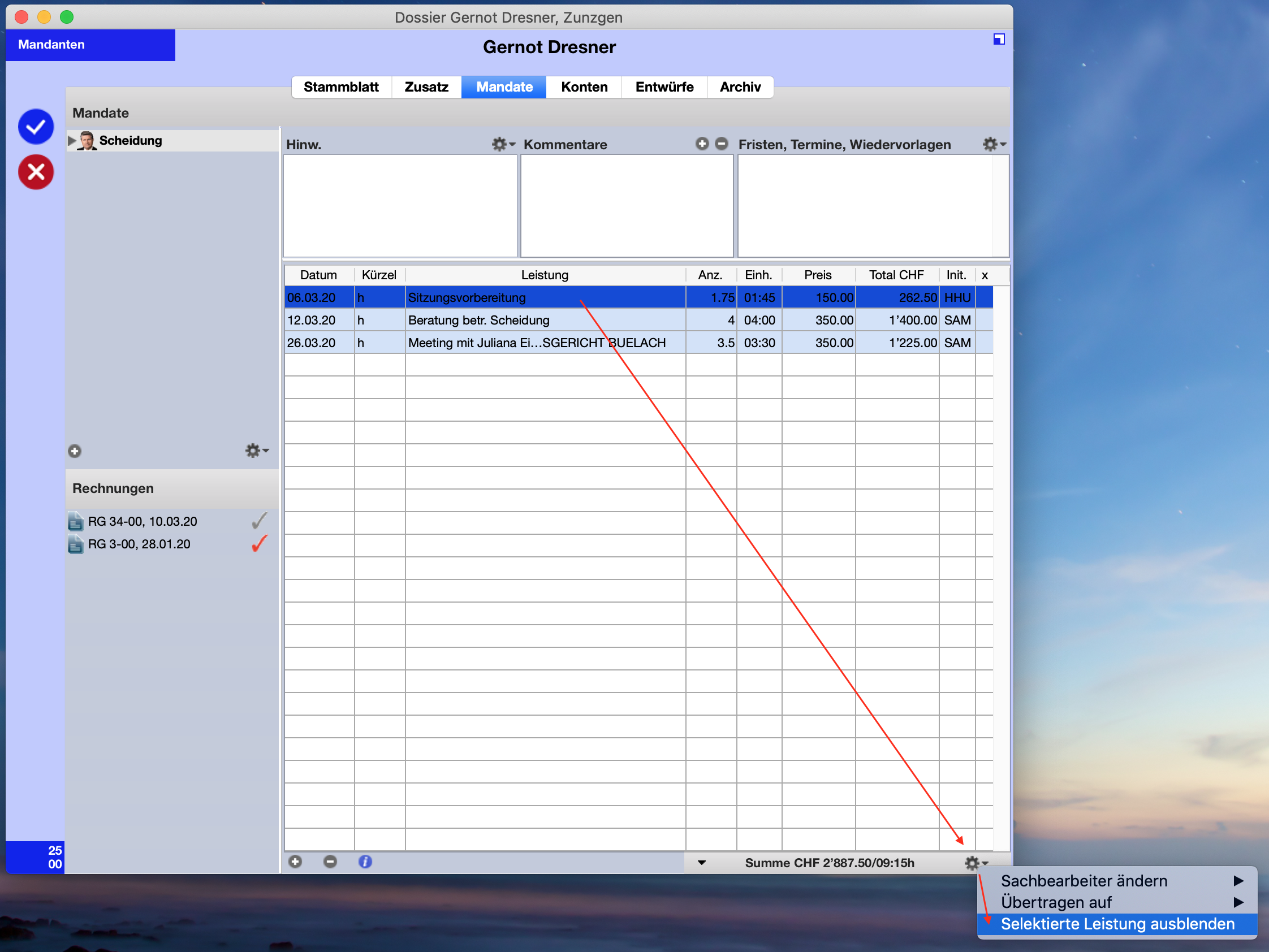
- Open the relevant mandate so that you can see the noted services. Now mark the services that you do NOT want to have on the cost statement. Click on the action menu (the small cog wheel) in the lower right corner and select Hide selected services ).
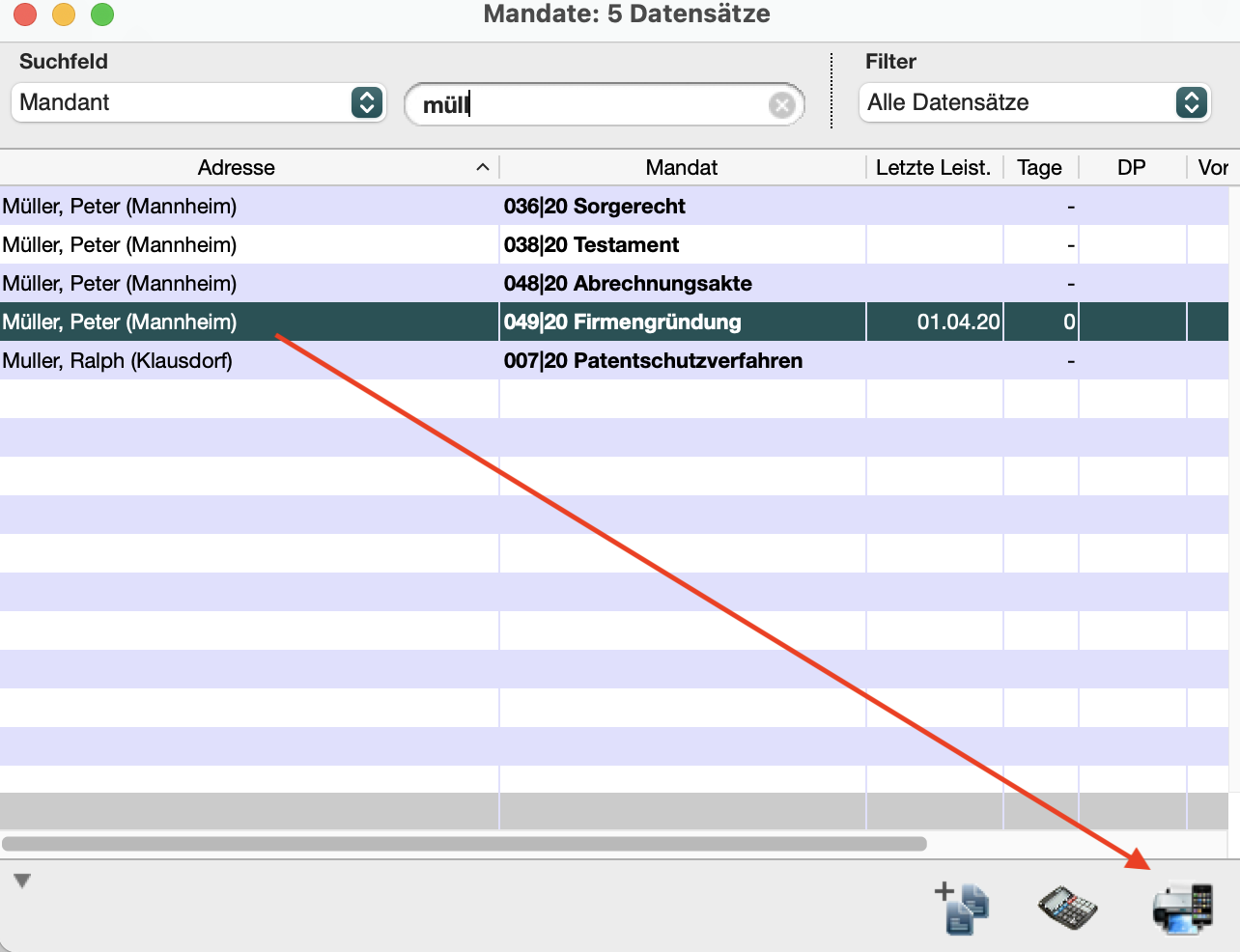
- Go to mandate selection ( Finances - Mandates ) and select the relevant mandate from the list. Click the printer icon at the bottom right and choose Invoice Proposal or Cost Statement . The hidden services no longer appear on the document.
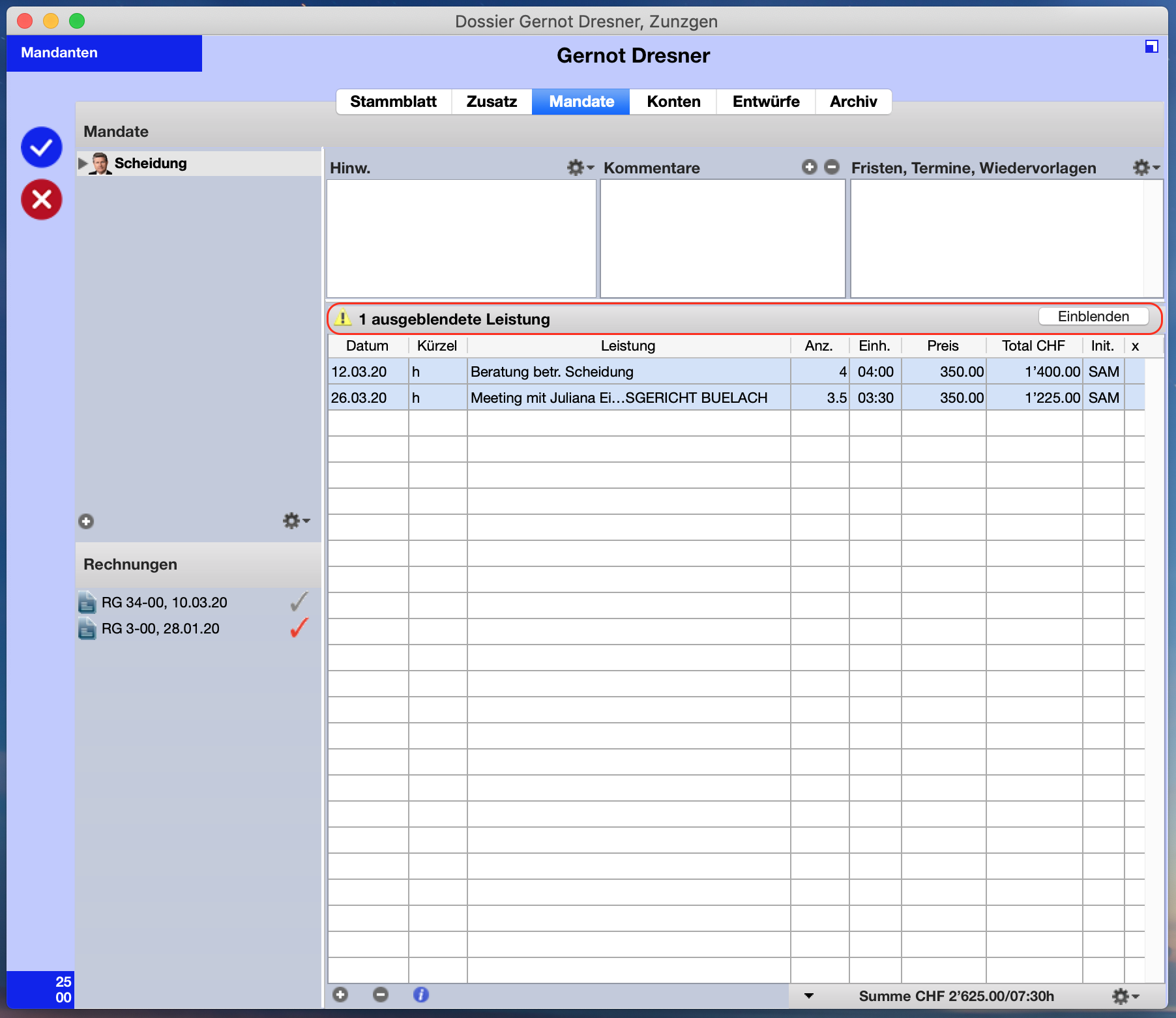
- If you want to show the hidden services again, simply click on Show in the mandate's timesheet.